Every expensefinally makes sense

Scan receipts, capture payment screenshots and track spending automatically, while Stanca keeps every record organised in Google Sheets and Google Drive.

Early access for expense tracking with on-device OCR and Google sync.

Follow along

  • Instagram
  • TikTok
  • LinkedIn
Stanca app home screen showing monthly spend and recent expenses

01 — How it works

From cluttered receipts to one clear record

Capture
Capture01 / 03
Photograph a receipt or import a payment screenshot.01 / 03
Extract
Extract02 / 03
On-device OCR suggests merchant, date, currency and total.02 / 03
Organise
Organise03 / 03
Verified expenses sync to Google Sheets and Drive.03 / 03

Features

Built for real spending, any currency

Manual entry when you need it. Receipt capture when you don't. Sync only when you choose.

  • Manual expense entry alongside receipt capture
  • On-device OCR for merchant, date, currency and total
  • Google Drive receipt storage in your own account
  • Google Sheets sync for a living expense ledger
  • Multi-currency with home-currency budgets and totals
  • Local-first storage with optional cloud sync

Security

Your money data stays yours

Stanca is local-first. OCR runs on your device. Optional Google features write to your Drive and Sheets. We do not sell your data or show third-party ads.

On device

Expense data lives primarily on your phone.

Your cloud

Sync lands in Google accounts you already own.

No ad graph

No tracking for ads. No selling personal data.

Pricing

Early access first

Join the waitlist above for launch access. Pricing will be clear before public release - no surprises.
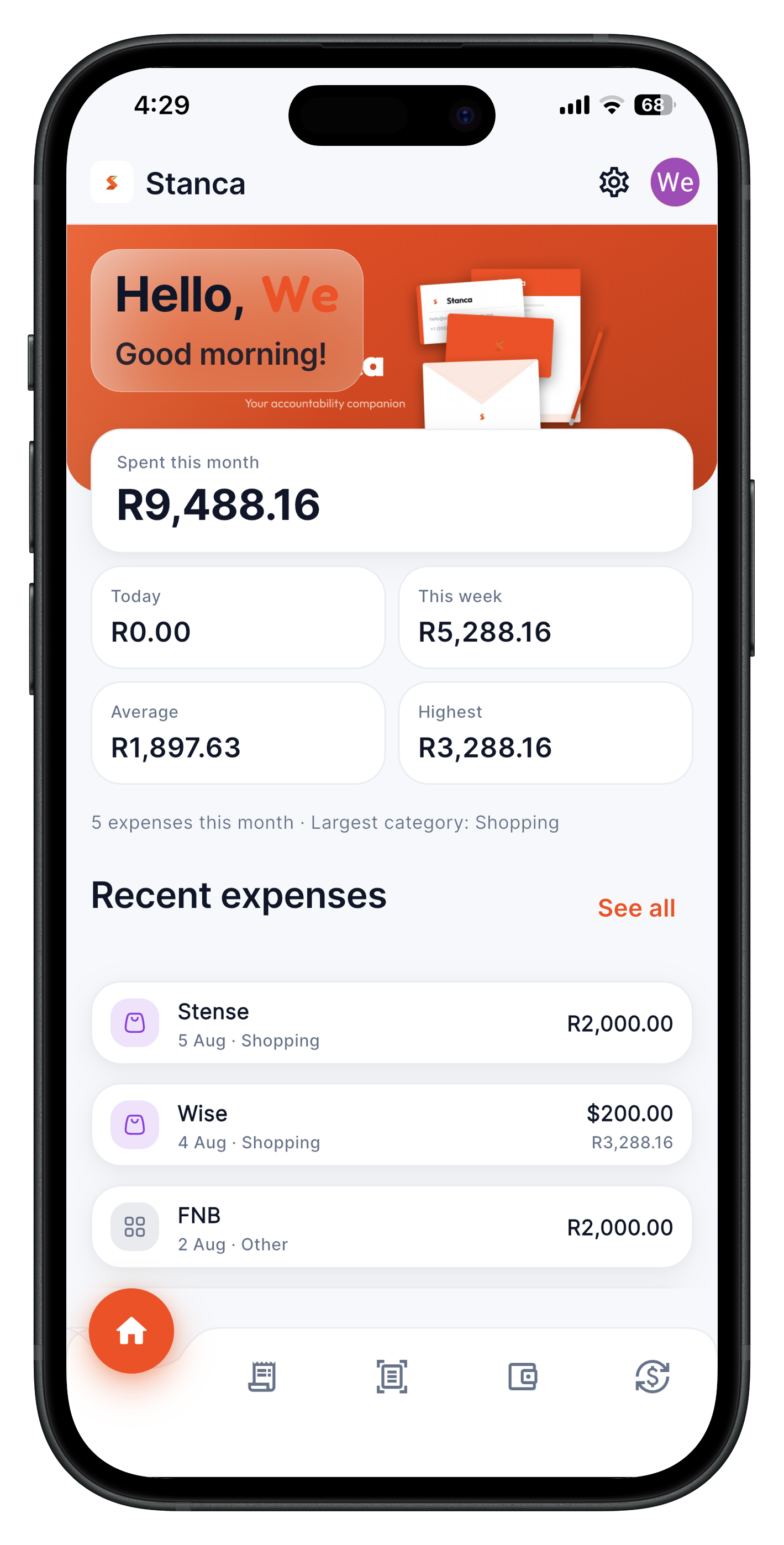
Stanca app home screen on a phone